Build the rack. Connect the network.
From the data center aisle to the enterprise network room, BOLEIN brings cabinets, copper and fiber connectivity, rack power and installation accessories into one practical product range.
Every connection needs a place to work.
A network project is a collection of decisions: where equipment sits, how cables enter and terminate, how power reaches the rack, and how the installation can be serviced later.
Give equipment the right space
Choose the cabinet format, mounting space, doors and accessories around your equipment and site.
Make every port count
Build copper and fiber runs with the cable, patching and termination products the design calls for.
Finish the rack
Specify PDU mounting, input and outlet configuration alongside the cabinet and cable layout.
From the aisle to every rack.
A data center build brings enclosure, airflow, cabling and power decisions together. BOLEIN’s range spans cold aisle containment, floor standing 19-inch cabinets, copper and fiber distribution, and rack PDUs—so you can define the components around each row as one project scope.
Cold aisle containment
Lay out the aisle with fixed or automatic roof sections, sliding or manual doors, cable routes and access components.
Cabinets & racks
Choose the cabinet around equipment depth and service access. The BLFS-6842 19-inch floor standing model is rated for a 1,000 kg static load and IP20 protection.
Copper & fiber
Bring patch panels, fiber distribution and cable management into the rack plan from the start.
PDUs
Match the outlet layout to the equipment: standard UK and IEC C13 configurations, plus horizontal or vertical intelligent PDU options.
The parts that make the whole network work.
Start with the product family, then share your drawings or bill of materials for the configuration you need.

Network Cabinets & Racks
Floor standing and wall mount cabinets, open racks and the shelves, panels and cable management that complete them.

Structured Cabling
LAN cable, patch cords, patch panels, keystone jacks and faceplates for the copper links running through a building or rack.

Fiber Optic
Fiber cable, patch cords, adapters and distribution hardware for backbone and equipment connections.
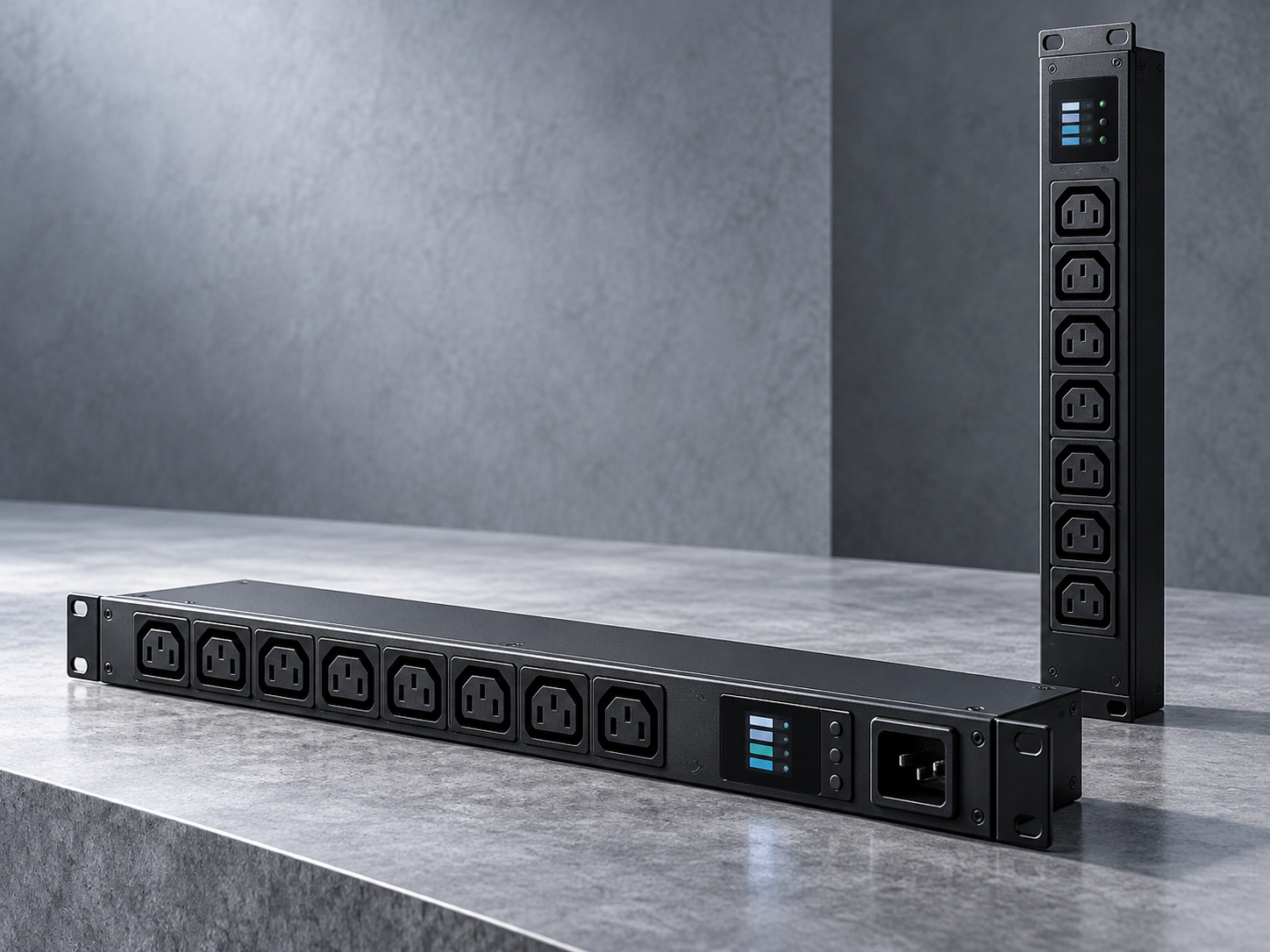
Rack PDUs
Standard and intelligent PDU configurations for distributing power to equipment inside the cabinet.
Different spaces. Different rack decisions.
Tell us where the equipment will live. The enclosure and connectivity schedule should follow the application.
Organize the row
Coordinate containment, cabinets, copper and fiber patching, cable routing and rack power for a new build or expansion.
Start a Data Center Enquiry →Make the network room usable
Bring switches, patch fields and cable management into a cabinet layout with room for access and future changes.
Discuss an IT Room →Fit the site
For branch and smaller equipment locations, select cabinet size, mounting format, connections and power to suit each space.
Share a Multi-site List →One rack contains more than one product.
Send the full bill of materials. A cabinet order may also call for patch panels, cable managers, shelves, fiber distribution and PDUs. Reviewing them together makes the enquiry more useful for purchasing and installation teams.
Send Your BOQ →Tell us how you buy. We’ll start there.
Whether you are stocking a range or buying against a drawing, the first conversation should match the way your business works.
Build a range to resell
Discuss core models, variants, packaging and repeat orders for your market.
For Distributors →Source a project BOQ
Share drawings, quantities and technical requirements across cabinets, connectivity and power.
Send a Project Enquiry →Develop your own label
Review eligible products, artwork, packaging and order volumes for a branded range.
OEM & Private Label →Have a drawing, BOQ or product list?
Send the application, destination country and quantities. We can review the product scope with you and prepare a focused quotation.